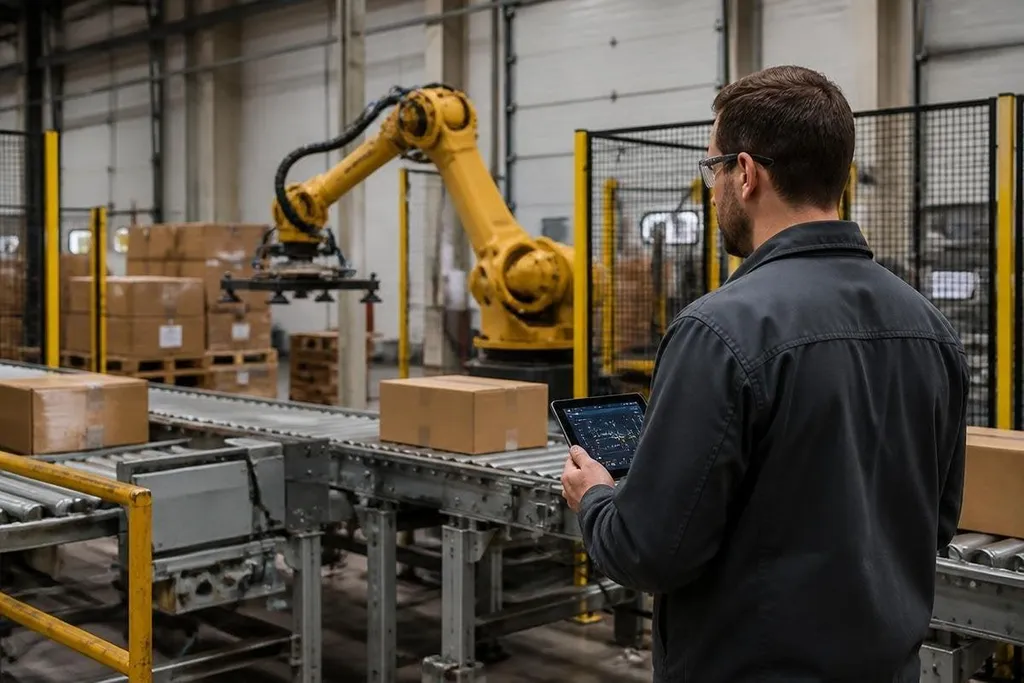
A robot can move a load, stop a conveyor, or open a door. If someone gains control of its software, the risk reaches beyond stolen data and into the physical workplace.
This matters to the plant manager, warehouse operator, or robotics engineer adding connected machines to an existing network.
Quick read
- A robot links control software, sensors, networks, and cloud services, so each connection needs protection.
- A cyberattack can change motion commands, block production, or hide a fault from the operator.
- The first useful steps are asset records, limited access, tested backups, and a safe manual stop.
Why robots change the security problem
A standard office computer mostly handles information. A robot handles information and motion at the same time. Its controller may receive commands from a teaching pendant, a factory network, a remote support tool, or a fleet management system.
That creates an attack surface. The term means every path an outsider could use to reach the system. One robot may have several paths: an Ethernet port, Wi-Fi, a USB service port, an operating system, an application programming interface, or a connection to a cloud dashboard.
Each path has a job. Each path can also carry a bad command, an old software flaw, or a stolen login. A security plan that covers office laptops but ignores robot controllers leaves the physical work exposed.
The problem grows when one platform manages many autonomous mobile robots. A single account or server can affect a group of machines, depending on how the system is built. That makes access rules and network separation practical safety measures, not paperwork.
Where an attack can enter
Robot systems rarely arrive as one sealed box. The controller, gripper, vision camera, safety scanner, industrial computer, and fleet software may come from different suppliers.
Their update schedules and login systems may differ too. Remote support deserves close attention. A vendor may need access to diagnose a fault, but a permanent administrator account gives that connection more reach than the repair requires. Use named accounts, time-limited access, and a record of each remote session.
Software updates also need a clear path. Firmware is the low-level code inside a controller or sensor. Keep a record of the version on each machine, test updates on one unit first, and retain a known working copy when the supplier permits it.
A firmware record gives a security report something concrete to name: the robot, its software, and the date. A dated Robot24.com report on robot security can put those details beside the affected machine and deployment. USB drives and service laptops create the next entry point.
USB drives and laptops can carry harmful files into a robot cell. Lock service ports when the design allows it, scan removable media, and give technicians a clean process for moving programs between systems.
What failure looks like on the floor
A cyberattack does not need to make a robot move wildly to cause harm. It could pause a fleet during a busy shift, change a route, alter a pick order, hide an alarm, or block access to the control screen.
A changed speed limit can create a safety issue even when the robot follows every other command correctly. A disabled safety scanner is more serious still, because the scanner may be the device that detects a person inside a protected area.
The response plan must connect the security team with the people who run the equipment. They need a shared answer to four questions: who can stop the machine, how to isolate it, how to check its state, and how to restart it safely.
I'd treat any robot that can be reached from the public internet as a design problem to fix, not a setting to accept.
A practical security checklist
Use this list before connecting a robot to a plant network:
- Record each asset: list the controller, sensors, software versions, network address, supplier, and owner.
- Limit every account: give people the access their work needs, then remove access when the job ends.
- Separate robot traffic: place robot controls on a network segment apart from ordinary office devices.
- Protect service access: require approval for remote sessions and save the session record.
- Test recovery: restore a controller or fleet system from a backup in a planned exercise.
- Keep a safe stop: confirm that a local operator can stop the equipment when the network or software fails.
The checklist works best when someone owns each task and records the result. A policy without a named person, a date, and a test remains a promise on paper.
What to do next
Start with the robot that has the widest network access or the largest effect on production. Map its connections, remove paths nobody needs, and test a safe shutdown with the floor team.
Robot cybersecurity will keep changing as more machines accept remote commands and share data with other systems. The useful measure is plain: can your team detect a bad change, stop the robot, recover its software, and explain what happened before work starts again?